Features

Every module, in detail.

WASDEV is organised in modules that share one project, one AI assistant and one set of shortcuts. This page goes through each of them and says exactly what it does.

AI coderAI CLIs and MCPCode editorDesignPhoto toolsDocumentsVideo StudioBrowserServerMore toolsGAD language

AI CODER

An AI that works inside your project

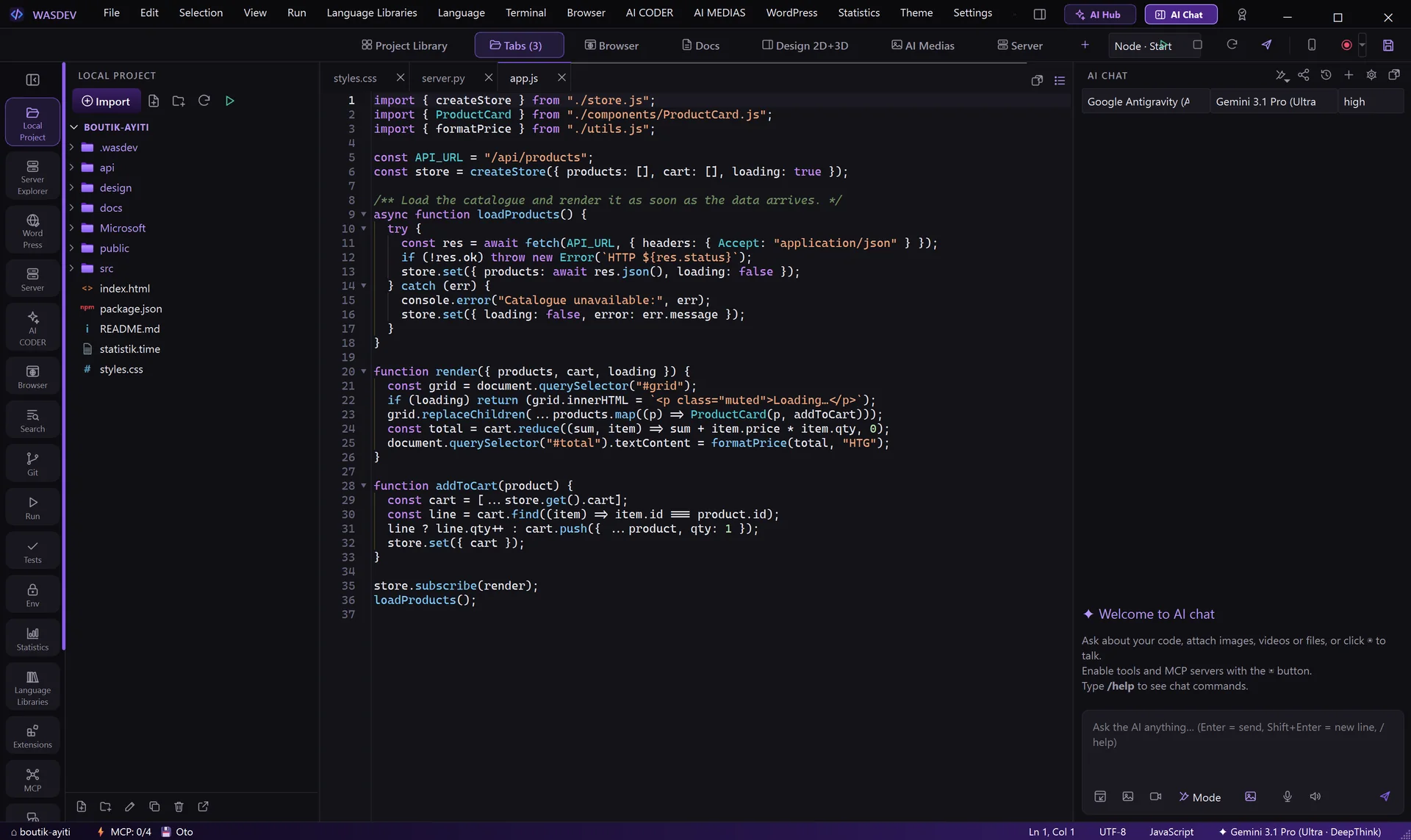
The chat panel sits next to your code. Choose a company and a model, describe what you want, and the AI reads, writes and edits the files of the open project. Twenty-two providers are available: four AI CLIs that use your own account, sixteen API providers and two local engines.

  • File tools (list, read, search, write, edit) and a command tool that runs PowerShell in the project
  • Autonomous mode on or off: when it is off, every edit opens as a diff and every command asks for your permission
  • Six work modes — Plan, Review code, Security, Write tests (TDD), Debug, Clean code — plus local checks that use no AI at all
  • Attach any file, images, video and PDF; drag and drop; take a photo or a video with the camera
  • Voice input, answers read aloud, and a reasoning-effort selector from low to max
  • One chat per project with full searchable history, export to CSV, PDF, TXT and HTML
  • The AI also drives the other modules: it draws on the design canvas, builds real Word, Excel and PowerPoint files, controls the built-in browser and presses Run
Code editor with the AI chat panel on the right
AI CLIs AND MCP

Your AI subscriptions, connected in one click

WASDEV does not sell AI and does not ship any API key or paid AI account. Instead it connects the tools you already pay for — or free ones — and manages them from a single window, the AI Manager and CLI Hub.

Four AI CLIs, your own account

Claude Code, OpenAI Codex, Gemini CLI and Google Antigravity run with the account you sign in with, directly in the chat panel. No API key is needed for them.

The same CLIs in the terminal

Type claude, codex, gemini or agy in the WASDEV terminal: the real CLI starts with WASDEV's tools and your project instructions already attached.

AI Manager and CLI Hub

One card per AI shows whether it is installed and connected, with buttons to install, update, enter a key and test. Two header buttons install and connect everything at once.

MCP servers

Add any Model Context Protocol server with a command (stdio) or a URL (HTTP), then switch each server and each tool on or off. The configuration uses the same format as Claude Desktop.

WASDEV is an MCP server too

The built-in browser, the document editors, the design canvas, media generation and the Run button are exposed to all four CLIs as tools, so they can act inside the app.

API keys and local models

Claude API, Google Gemini, OpenAI, DeepSeek, Mistral, xAI Grok, Groq, Together, OpenRouter, Perplexity, Qwen, Kimi, GLM, Cohere, Fireworks and Meta Llama with your key; Ollama and LM Studio with no key at all.

CODE EDITOR

A complete editor for 125 languages

Syntax highlighting, multiple cursors, folding, split view, a command palette and quick open — with the shortcuts you already know. Every shortcut can be changed.

  • Code intelligence: completion, go to definition and rename for Python, TypeScript, HTML, CSS, JSON, C / C++, Rust, Go, Dart and PHP
  • Debugger with breakpoints, variables and call stack for Python, JavaScript / Node, PHP, C / C++ / Rust, Go and Dart / Flutter
  • Git built in: stage, commit, branches, stash, history, conflict resolution, GitHub pull requests
  • Tests panel for pytest, Jest, Vitest, PHPUnit, cargo, go and flutter
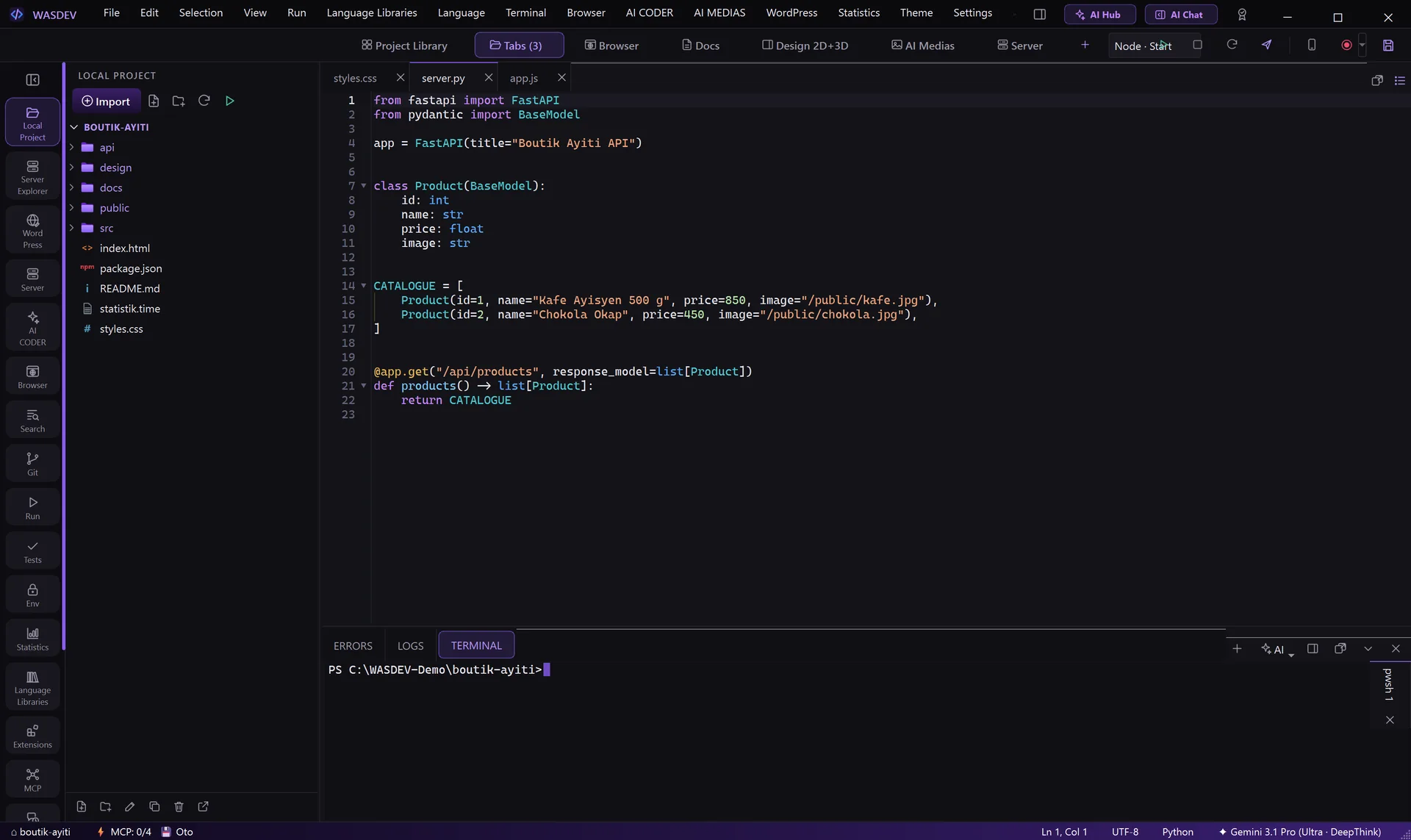
  • Integrated terminal with several tabs and split, errors and logs panels
  • Run button for web, mobile, desktop and firmware projects; deploy to your server in one dialog
  • Environment-variable editor, format on save, auto save, search and replace across the project
Python API file open in the editor with the integrated terminal
DESIGN 2D + 3D

Design the interface next to the code

Frames, auto layout, components and variants, text, shapes, pen, layers and pages on one canvas, with six modes: Drawing, Design, Prototype, Story, 3D and Dev.

  • Prototype: interactions, animations, flows and a player with device frames
  • Story: characters, scenes and shots, storyboard, animatic and screenplay export
  • 3D: text, characters, imported models, lights, keyframe animation, image or video output
  • Dev: inspect, typography, generated code, and “copy as context for AI”
  • Imports PSD, PSB, SVG, PDF, PPTX and HTML; 15 600 ready-made assets and a template gallery
  • Exports PNG, JPG, WebP, AVIF, TIFF, ICO, SVG, PDF with bleed and crop marks, PSD layers, HTML + CSS, HTML + Tailwind, PPTX and fonts
  • The AI draws screens directly on the canvas while you watch
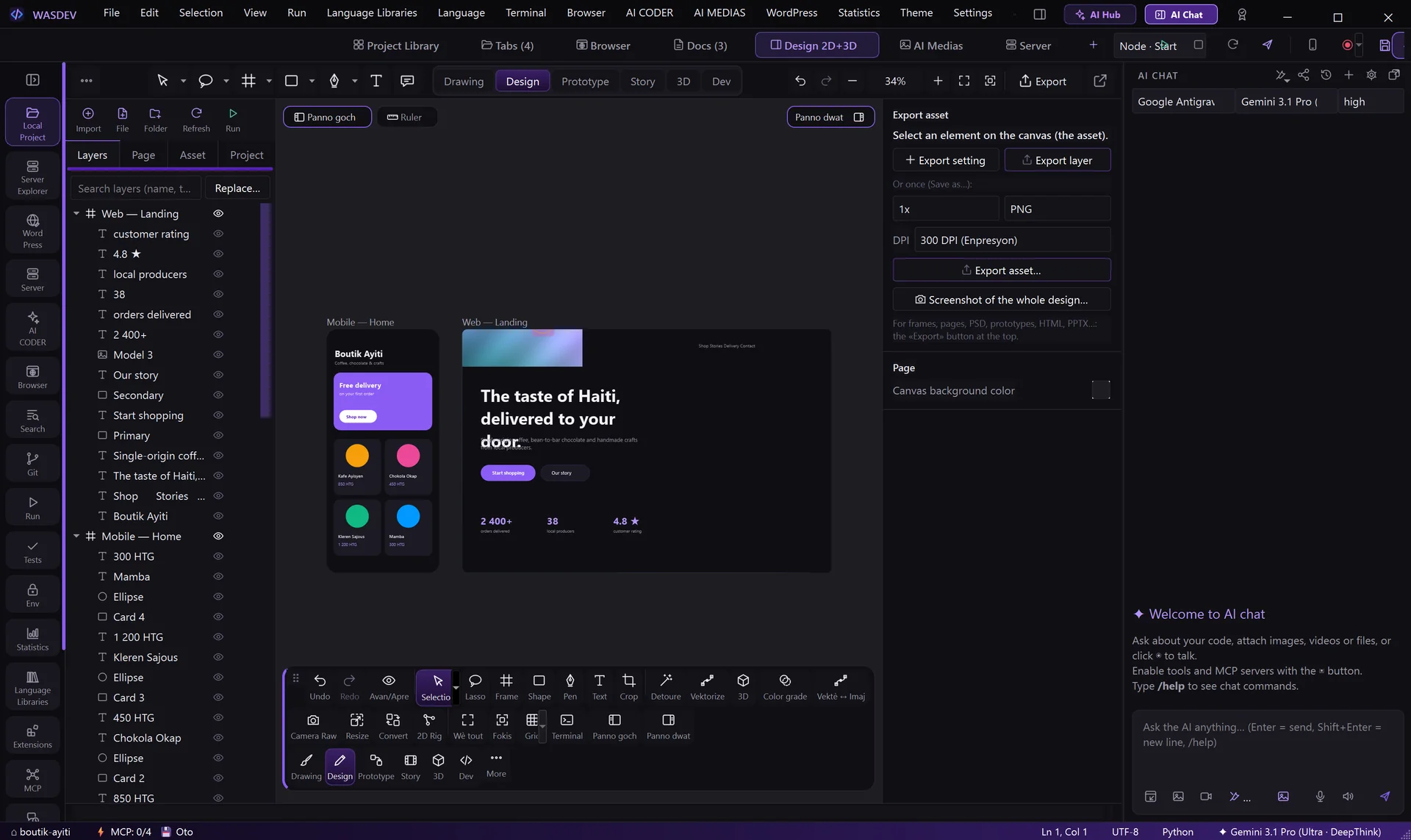
Design module with a mobile screen and a web landing page on the canvas, layers on the left
PHOTO TOOLS

Camera Raw, resize up to 12K, batch convert

The photo tools open from the Design module, each on a full page with a live preview, and send the result back as a new layer.

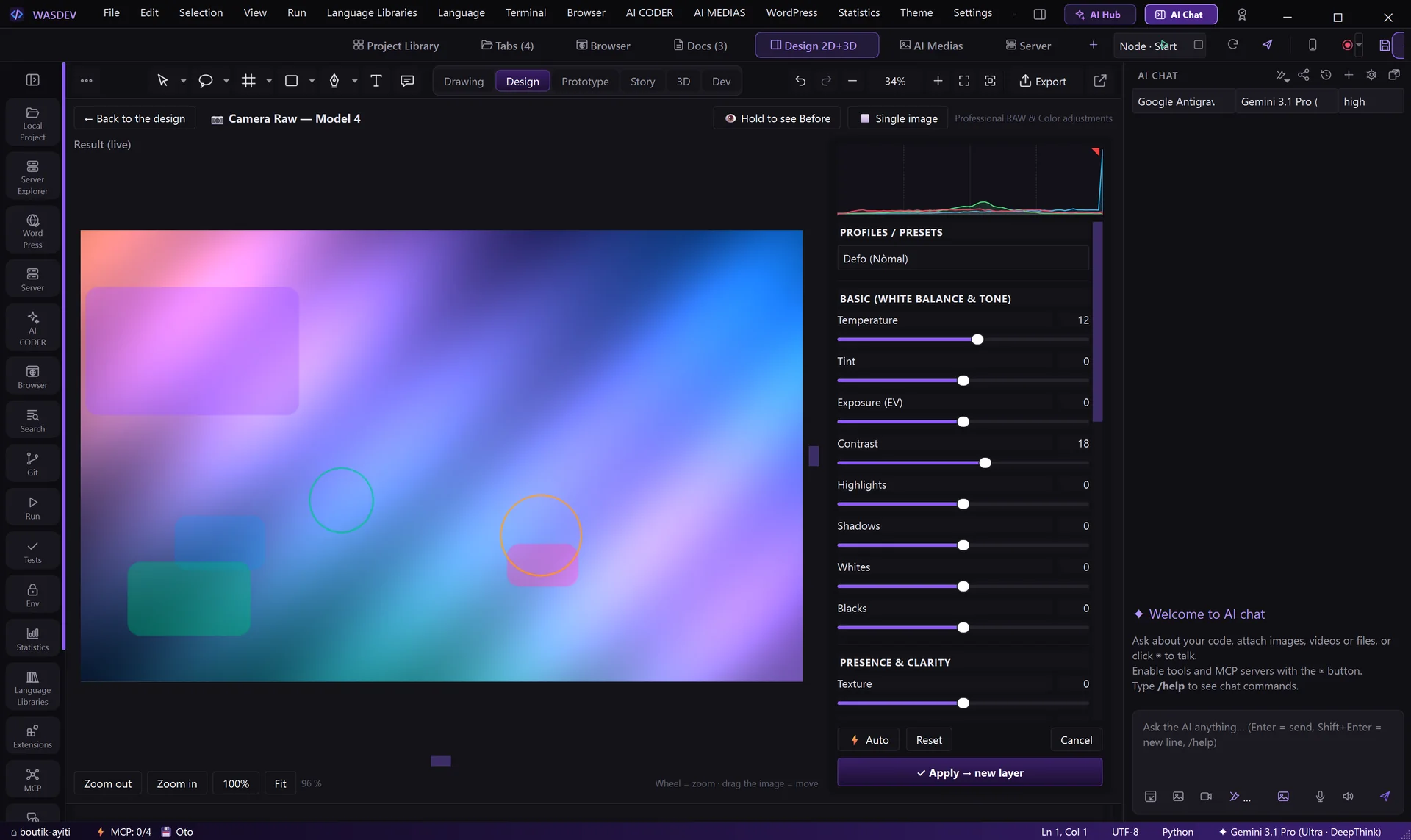
  • Camera Raw: temperature, exposure, highlights, shadows, texture, clarity, dehaze, tone curve, colour grading and vignette, with before / after views
  • Resize: one-click sizes up to 12 288 px, keep aspect ratio or crop to centre, sharpen after, compare detail at 100 %
  • Convert: batches of photos or whole folders to JPG, PNG, WEBP, AVIF, JPEG XL, TIFF, BMP, GIF, ICO, PDF or PSD, with ready presets
  • Portrait retouch, background removal, 101 colour-grading LUTs, vectorise, AI fill and AI expand
Camera Raw page with colour sliders and a live result
DOCS EDITOR

Word, Excel, PowerPoint and PDF — built in

Open and edit office documents without Microsoft Office. Ask the AI for a proposal, a budget or a pitch deck: it creates the real file, then you fix the details in the editor.

  • Word: styles, tables, images, shapes, QR codes and barcodes, find and replace; export to PDF, ODT, HTML, Markdown and text
  • Excel: formulas, number formats, AutoSum, sorting, merged cells, several sheets
  • PowerPoint: shapes, pictures, video, tables, animations and transitions, presenter mode, phone as a remote control
  • PDF: edit and add text, highlight, draw, sign, stamp, watermark; add, move, rotate, extract and delete pages
  • 200 professional templates: invoices, contracts, CVs, reports. Templates are never modified — you always work on a copy
  • What you do not touch in a file is saved exactly as it was
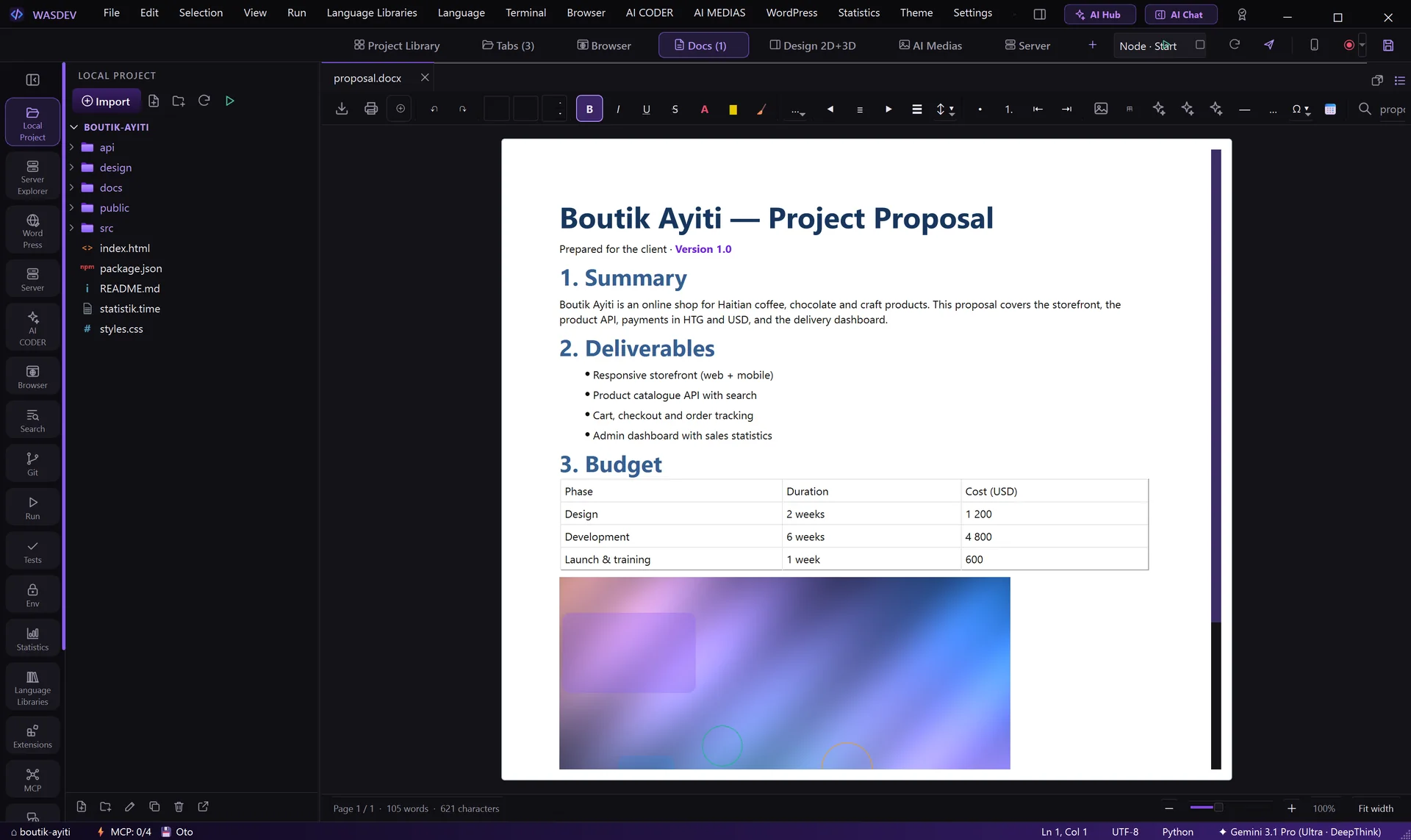
Word document editor showing a project proposal with headings, a table and an image
BROWSER

Test the site without leaving the project

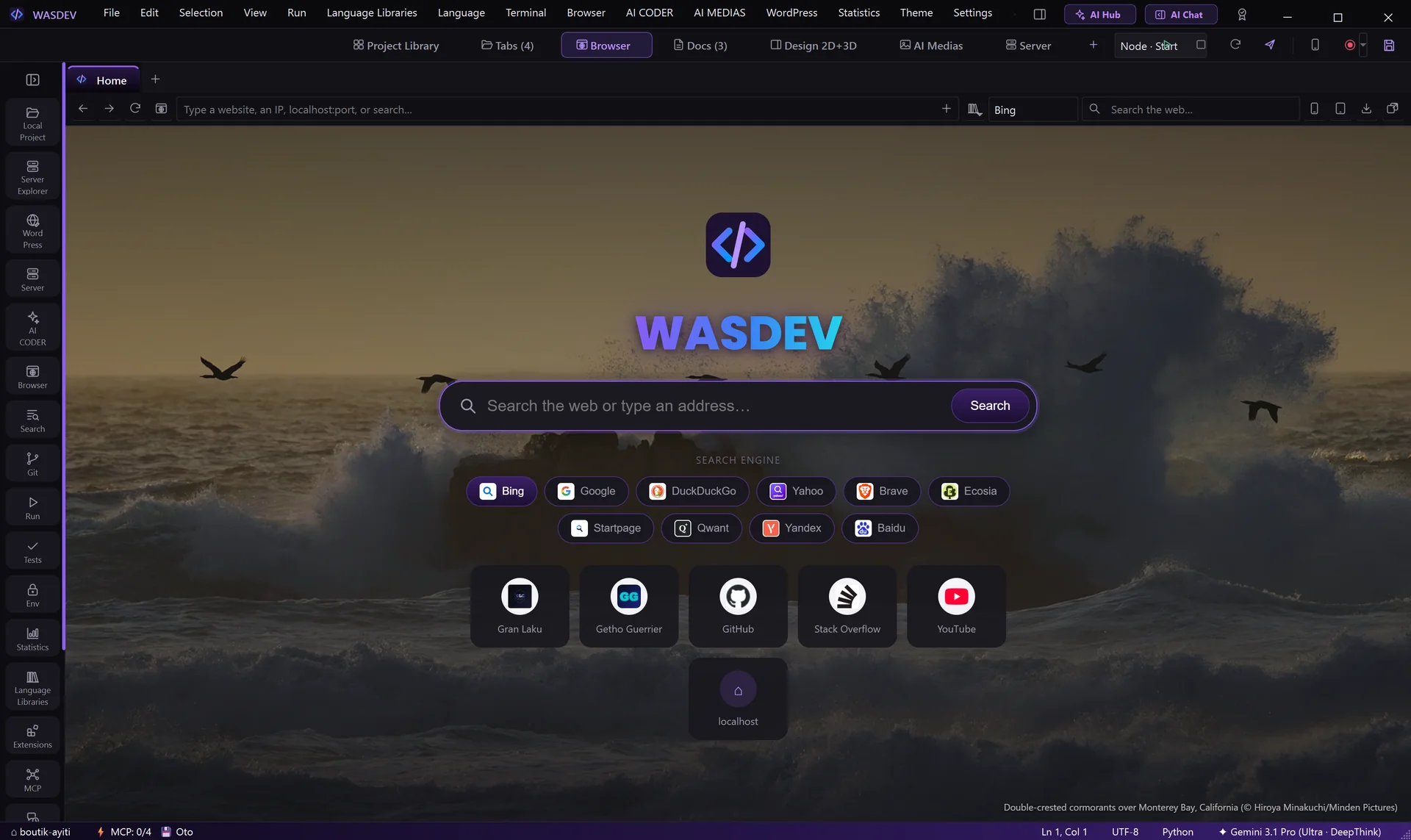
A real tabbed browser inside the workspace, built for testing what you are coding — and one the AI can use too.

  • Phone and tablet previews with device models, rotation and custom sizes
  • Screenshots of the visible area or a selected area, saved straight into the project; Inspect tool
  • Favourites, history and downloads, with import from Edge and Chrome
  • Password manager protected by a PIN, with CSV import and export
  • The AI can open pages, read them, click, type and read the console to check its own work
Built-in browser home page
SERVER

From localhost to production

Everything between your machine and your hosting: file transfer, a local web stack, databases, scheduled jobs, backups, domains and a VPS panel.

  • FTP, FTPS and SFTP with a native Rust engine, SSH keys and a two-pane local / server view
  • Edit a file on the server in the editor and press Ctrl+S to upload it
  • Local server: install, start and stop services, create sites and databases, import and export .sql
  • WordPress: create a local site, manage plugins and themes, get a public link, export the site
  • PHP version, cron jobs, daily backups with restore, local domains with HTTPS
  • VPS with HestiaCP, a one-click “Go live”, and remote screen (KVM console or Remote Desktop)
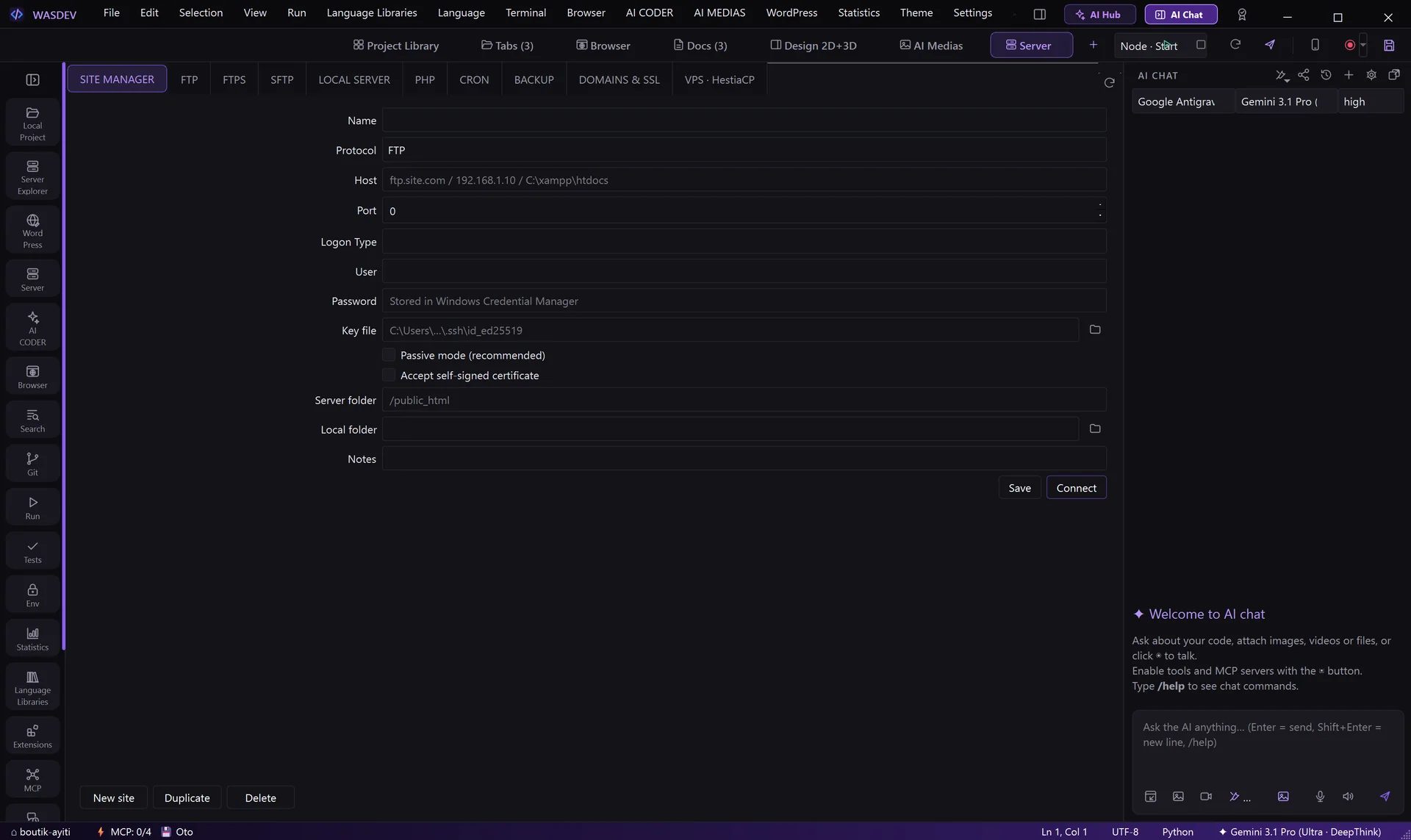
  • Site manager with passwords kept in Windows Credential Manager
Server module with the site manager: FTP, SFTP, local server, PHP, cron, backup, domains and SSL
VIDEO STUDIO

A professional video editor, rendered on your machine

A full timeline editor that runs in any browser: edit a whole video by hand or let the AI build and change it live. One spec becomes an MP4, rendered locally with FFmpeg — no cloud, no API key, and voices by ElevenLabs. Haitian Creole is a first-class language.

Timeline, by hand or with AI

Tracks, clips, markers, solo, ripple delete and insert / overwrite editing. The AI edits the same timeline live through MCP — scenes, clips, cuts — and you watch every change.

Rendered locally, no keys

One JSON spec turns into HTML, then into an MP4 with FFmpeg on your own machine. Nothing is sent to a cloud service at render time.

Professional colour grading

Exposure, contrast, temperature and tint, lift / gamma / gain wheels, vibrance, cinematic LUTs, vignette and a one-click quality enhance — previewed live on the canvas.

Keyframe animation

Animate position, scale, rotation and opacity over a clip, with linear or bézier easing. Masks (circle, ellipse, rectangle) and speed ramps for smooth slow-motion.

Chroma key, J/L cuts, multicam

Remove a green or blue screen, lead the sound in before the cut or carry it after (J/L cuts), and switch between several camera angles on the timeline.

Captions and voice

Word-by-word karaoke captions from the voice track plus a subtitle editor for your own lines, timing and style. Voices and dubbing by ElevenLabs.
MORE TOOLS

And the tools around them

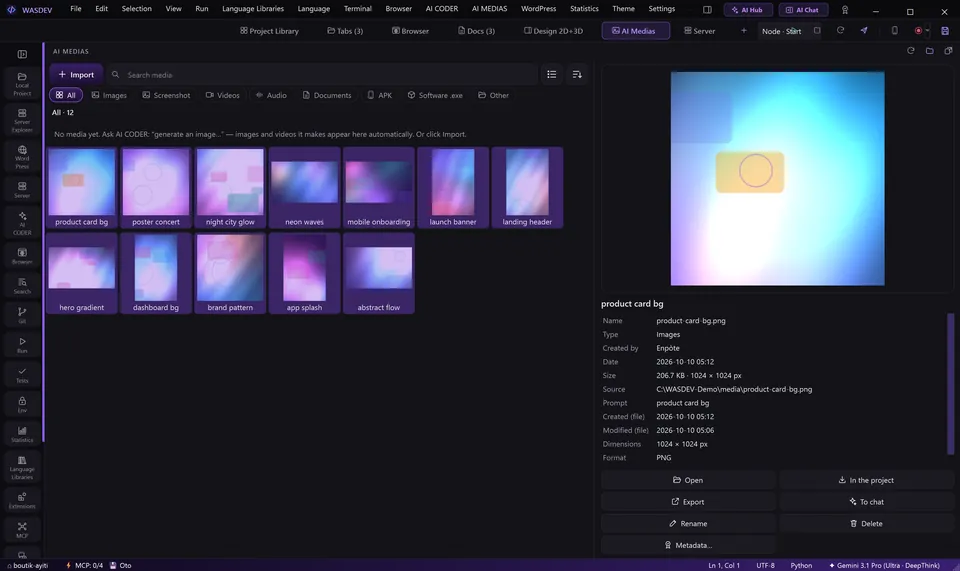
AI Medias gallery

AI Medias

Images and videos generated by the AI land in one gallery with their prompt. Models include GPT Image, DALL·E 3, Imagen 4, Gemini Flash Image, FLUX, Grok Image, Adobe Firefly, Veo 3 and Sora 2 — each with your own account or key.
Project library

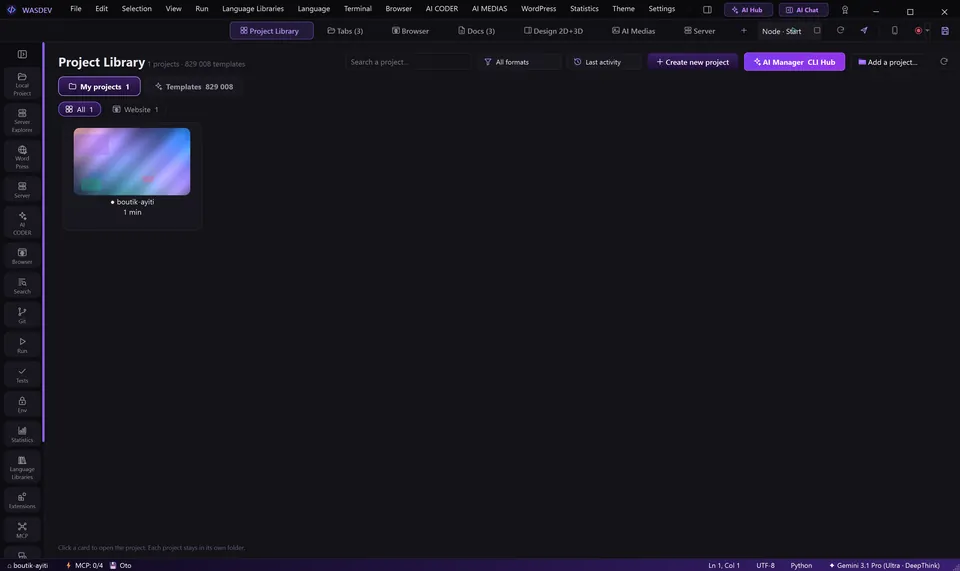
Project library

Every project and document as a card with its own cover, with search, filters, pinning and categories. Nine project types in the wizard, from a website to firmware. Switch project and every module follows.
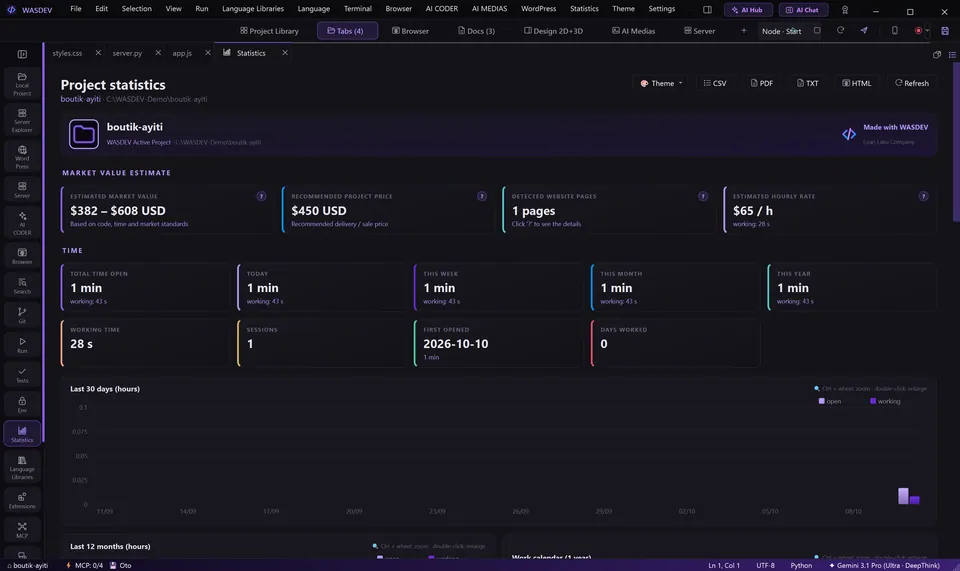
Project statistics page

Project statistics

Time worked, sessions, a one-year work calendar, lines by language, dependencies and an estimated market value for each project. Export to PDF, CSV, TXT or HTML.

Screen recorder bar

Screen recorder

Record the window, the screen or an area to MP4 with microphone, a camera card and a countdown, encoded on the graphics card. Hours-long videos are ready the moment you press Stop.

Phone and firmware

Connect an Android phone over Wi-Fi or USB: live screen mirror, files, install and launch apps. For boards such as Arduino and ESP32: upload the firmware, serial monitor and plotter. iPhone support is limited to files.

Replik — analyse anything

Drop a video, image, website or program — or send it from the AI Medias gallery — and the AI returns a full analysis, a summary, the text, SRT subtitles, the scenes, the style, JSON or a translation, in eight languages. Reverse-engineer a JavaScript app with /rea.

Gestion and the Pilot

The business side in one place: reminders, clients, pending emails and social messages, with a daily summary. The Pilot assistant watches your browser, inbox and posts and drafts replies for you to approve.

Kripto

Follow the crypto market with verified data and offline snapshots, scenario analysis — bullish, range or bearish with probabilities — and risk and security alerts. Analyse any coin with the AI from the chat with /kripto.
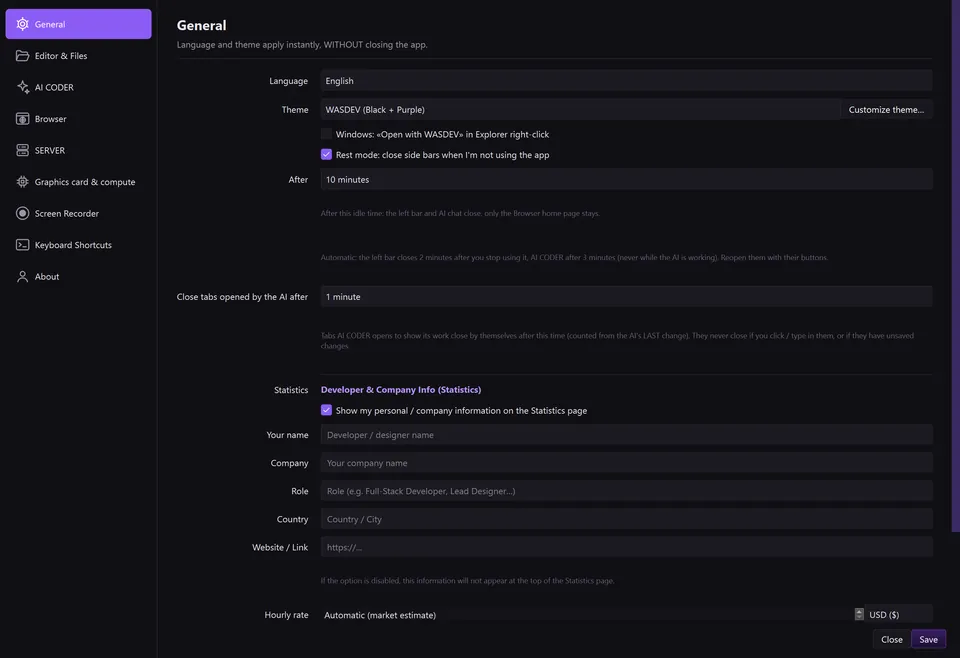
Settings window

Make it yours

8 interface languages, 21 themes plus your own, 7 window layouts, saved workspaces and custom shortcuts — applied instantly, no restart.

Also inside

GAD — a programming language born in Haiti

Created by Getho Guerrier at Gran Laku Company. The compiler is included: run, build an .exe, check and format, with 39 keywords, autocompletion and its own icons.

# legba.gad
fè salye ak moun
    montre "Onè, {moun}!"
fini

salye("Ayiti")
salye("Jakmèl")